Omnichannel Available-to-Sell Board
One sellable number per channel and size, built from warehouse and store stock, so a drop never sells what cannot ship.
These images are illustrations of the concept, not screenshots of the actual product.
Overview
In retail and e-commerce, a brand that sells on its own site, on a marketplace and in stores rarely has one reliable number for how many of a size it can sell. On-hand stock is spread across a distribution center and many stores, some units are already allocated to open orders, some are held back as safety stock and some are reserved for the marketplace. When a limited drop opens on a figure that ignores those deductions, the result is overselling and canceled orders. This concept shows an Available to Sell page in Kadaikodi's catalog that works out a sellable number for each channel and each size before the drop opens.
The illustration opens on all styles for a sample knit capsule, with its go-live time, a Scheduled in CoolAndLovely tag, and Sync now and Hold for drop buttons. Four summary figures count sellable units, safety stock held, the marketplace reserve and sizes at risk. The table lists each style, color and size with columns for distribution-center stock, store stock, allocated units, safety stock, marketplace available-to-sell and web available-to-sell, ending in a status chip reading Healthy, Low, At risk or Ship from store. In every sample row, the web figure equals combined on-hand stock minus allocations, safety stock and the marketplace share, and the three unit totals at the top add up from the rows, so the arithmetic stays visible rather than hidden.
With the at-risk size highlighted in the table, a side panel names it and explains the risk, here that a medium cardigan is likely to sell out in the first hour, and suggests moving some units from the marketplace reserve to the web, with an Apply button. Below that, a switched-on Ship from store setting covers the moment web availability reaches zero, and a trouser size with no distribution-center stock but units in stores is already marked Ship from store.
The design keeps each product in its lane. MoveTheWheels remains the record of on-hand and allocated units by location, and the footer names it as the stock source for a distribution center and a group of stores. FluidGrids is designed to keep those counts fresh on a schedule, and the footer shows the time of its last sync, while Sync now is there to force a refresh. The drop's timing is designed to come from the CoolAndLovely collection it belongs to. Kadaikodi's part is the sellable number itself, building on the cross-channel inventory sync and size-level stock envisioned for its catalog, so merchandisers and e-commerce managers can act before a drop opens.
What this concept shows
- Sellable units, safety stock held, marketplace reserve and sizes-at-risk figures at the top
- Per-size rows with distribution-center, store, allocated and safety stock columns
- Separate marketplace and web available-to-sell figures for every size
- Healthy, Low, At risk and Ship from store status chips
- Side panel with a sell-out warning and a suggested reserve move with an Apply action
- Ship from store switch for when web availability reaches zero
- Drop timing tagged as scheduled in CoolAndLovely, with Sync now and Hold for drop actions
- Footer naming MoveTheWheels as the stock source and the last FluidGrids sync
How it works
- FluidGrids refreshes on-hand and allocated counts from MoveTheWheels on a schedule, or a merchandiser taps Sync now.
- Open Catalog, then Available to Sell, to see the upcoming drop and the go-live time set in CoolAndLovely.
- Scan the summary figures and the Sizes at risk count.
- Review each size's web and marketplace available-to-sell and its status chip.
- Select the at-risk size to read why it is flagged, then apply the suggested move.
- Leave Ship from store switched on so web orders can still be filled from stores once web stock reaches zero.
Who it's for
- E-commerce and omnichannel managers
- Merchandisers planning product drops
- Inventory and allocation planners
- Marketplace channel managers
- Store operations leads
Illustrations
1 illustration of this concept. Select one to view it full size.
Available to Sell by Size, Channel and Location
This illustration shows the Available to Sell page under Catalog in the Kadaikodi merchant console, with a sample date and time at the top right. The subtitle covers all styles for a sample knit capsule with a ten o'clock go-live, tagged Scheduled in CoolAndLovely, beside Sync now and Hold for drop buttons. Summary figures report sellable units, safety stock held, marketplace reserve and a Sizes at risk count of two. The table lists sample cardigans, a beanie, a trouser and a tee pack by color and size, with columns for DC on hand, stores on hand, allocated, safety stock, marketplace ATS and web ATS, and chips reading Healthy, Low, At risk or Ship from store. The at-risk row is highlighted, and a side panel warns that it is likely to sell out in the first hour and suggests a move from marketplace reserve to web with an Apply button, above a switched-on ship-from-store setting. A footer names MoveTheWheels as the stock source, synced by FluidGrids.
Topics
- available to sell inventory
- omnichannel inventory visibility
- available to sell by channel and size
- prevent overselling on product drops
- marketplace inventory reserve
- safety stock management
- ship from store
- size-level stock tracking
- fashion drop inventory planning
- cross-channel inventory sync
Related concepts
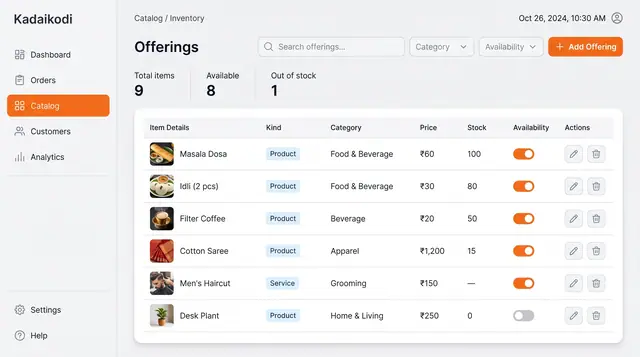
Catalog and Inventory Management
Manage products and bookable services in one table, with price, stock and an availability switch for each.
1 illustration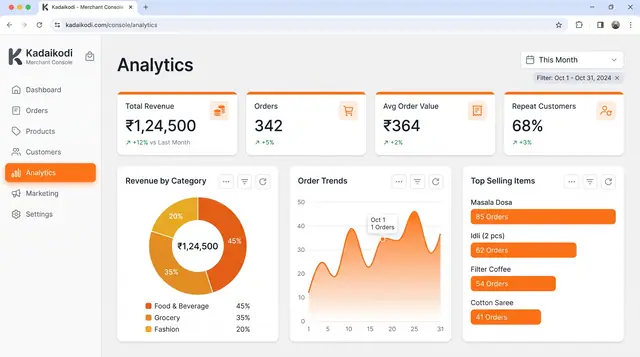
Sales Analytics and Demand Outlook
Revenue, orders, top sellers and peak hours from a merchant's own orders, plus a look ahead at the next busy stretch.
3 illustrations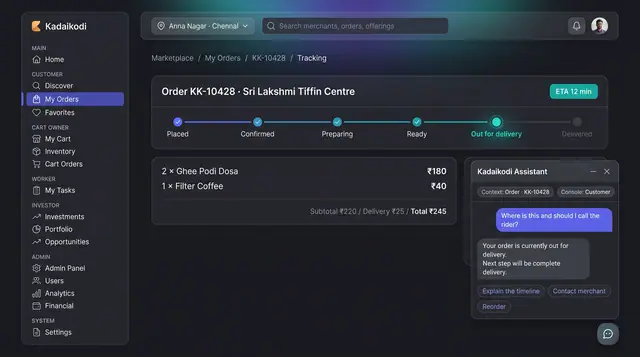
In-Context Assistant and Daily Proposals
An assistant that already knows which order you are looking at, and a daily queue of suggested changes you accept, edit or dismiss.
2 illustrations
Part of an industry solution
This concept appears in a cross-product solution on burdenoff.com — see how it works alongside other Burdenoff products to solve a problem in that industry.